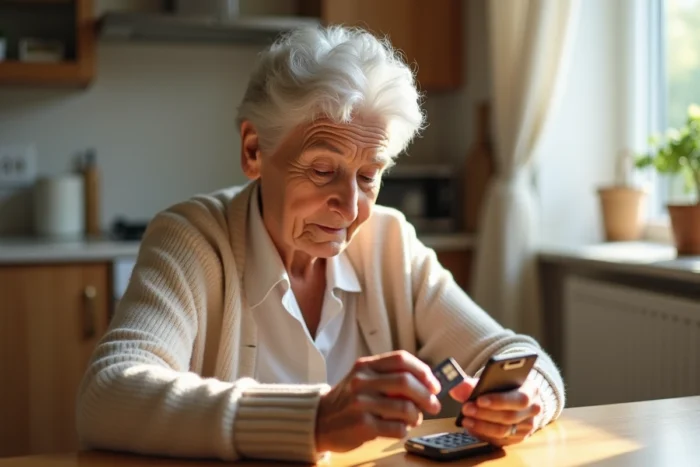
We receive a Doro phone, we open the SIM drawer, and the first question arises: will the card from the old phone fit in? In most cases, no, not directly. The SIM card format varies from one Doro model to another, and a re-cut card with scissors can block the reader or damage the connector.
Before touching anything, we check the manual included in the box, which indicates the exact format accepted by the device.
Re-cut SIM card and Doro phone: a real risk of damage
The temptation is common: rather than ordering a new card, we retrieve the old one and trim it to the desired format. On a regular smartphone, this sometimes works. On a Doro, field reports show that it’s a bad idea.
The Doro Leva E10s, for example, specifies in its manual that it only accepts nano SIM cards (4FF). Using incompatible cards can damage the device and the data. This is not a theoretical precaution: a poorly cut card can get stuck in the drawer and render the phone unusable without technical intervention.
Recent models like the Leva E20 confirm this trend towards exclusive nano-SIM. If you’re unsure about which Doro SIM card to choose, the most reliable reflex is to request a new card in the correct format directly from the operator. Most provide them for free or for a few euros, and the phone number is retained.
Closure of 2G and 3G networks: check network compatibility before the plan
We often think that the choice of SIM card is limited to the physical format. In practice, the network compatibility of the Doro phone is just as important as the size of the card.
Some older Doro models only support 2G or 3G. French operators are gradually reducing their coverage on these bands. A recent 4G plan associated with a new SIM card will make no difference if the phone itself does not support 4G or VoLTE (voice over 4G network).
How to know if a Doro is 4G compatible
The technical sheet of the model, available on the Doro website or in the manual, indicates the supported frequency bands. Look for the mention of LTE or 4G. If only the mentions GSM (2G) and UMTS (3G) appear, the phone is likely to lose network coverage in areas where 3G has already been shut down.
Before subscribing to a plan, we check two things:
- The physical format of the SIM card accepted by the Doro model (standard, micro, or nano)
- The network bands of the phone, particularly 4G/VoLTE compatibility
- The network coverage of the chosen operator in the main usage area (home, residence, frequent travels)
Feedback varies on this point depending on the regions: in some rural areas, 3G remains active, but no operator guarantees a precise timeline for maintenance.
Mobile plan for Doro phone: what changes compared to a regular smartphone
A Doro flip phone or one with large buttons does not have the same needs as a smartphone. The usage focuses on calls, SMS, and sometimes limited internet access for weather or a health app.
A plan with unlimited calls and SMS and a small data allowance is sufficient in most cases. Plans with several tens of gigabytes provide nothing on a device with a screen smaller than three inches that does not perform video streaming or intensive web browsing.
Main operator or MVNO: what impact on a Doro
Virtual operators (MVNOs) use the same antennas as major networks. On a Doro, the difference in call quality between a main operator and an MVNO is almost negligible, provided that the host network adequately covers the usage area.
The criterion that makes the difference is customer service. For a senior user, being able to call an advisor and receive step-by-step assistance is worth more than an extra gigabyte. Some operators offer phone support for the activation and configuration of the SIM card, which avoids having to involve a relative.
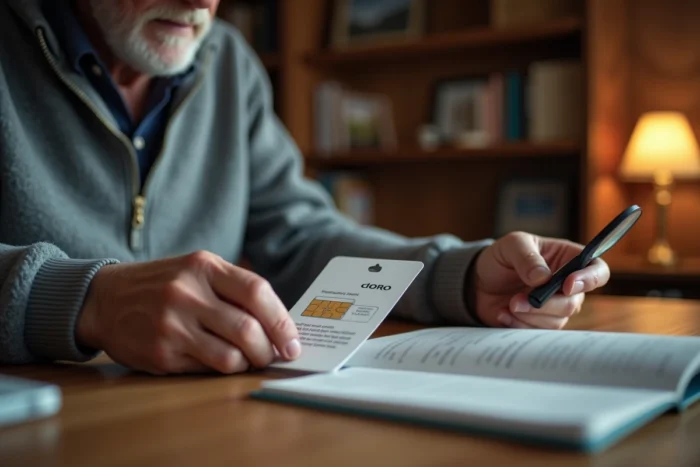
eSIM and Doro phones: why it’s not yet an option
eSIM, this integrated chip that replaces the physical card, is becoming common on high-end smartphones. On Doro phones, the situation is different.
The eSIM compatibility lists published by major providers (Airalo, Orange, etc.) do not mention any Doro models. The range remains designed around the physical SIM card, which aligns with the brand’s philosophy of simplicity.
For relatives managing a parent’s phone remotely, this means that it is always necessary to plan for the sending or hand delivery of a physical card. No remote configuration via QR code as one would do on a recent iPhone or Samsung.
Ultimately, choosing a SIM card for a Doro boils down to three checks: the correct physical format (preferably a new card, never re-cut), the network compatibility of the model with 4G, and a plan tailored for voice and SMS use. Everything else, giant data allowance, eSIM, multimedia options, falls under marketing that does not correspond to the actual use of these phones.